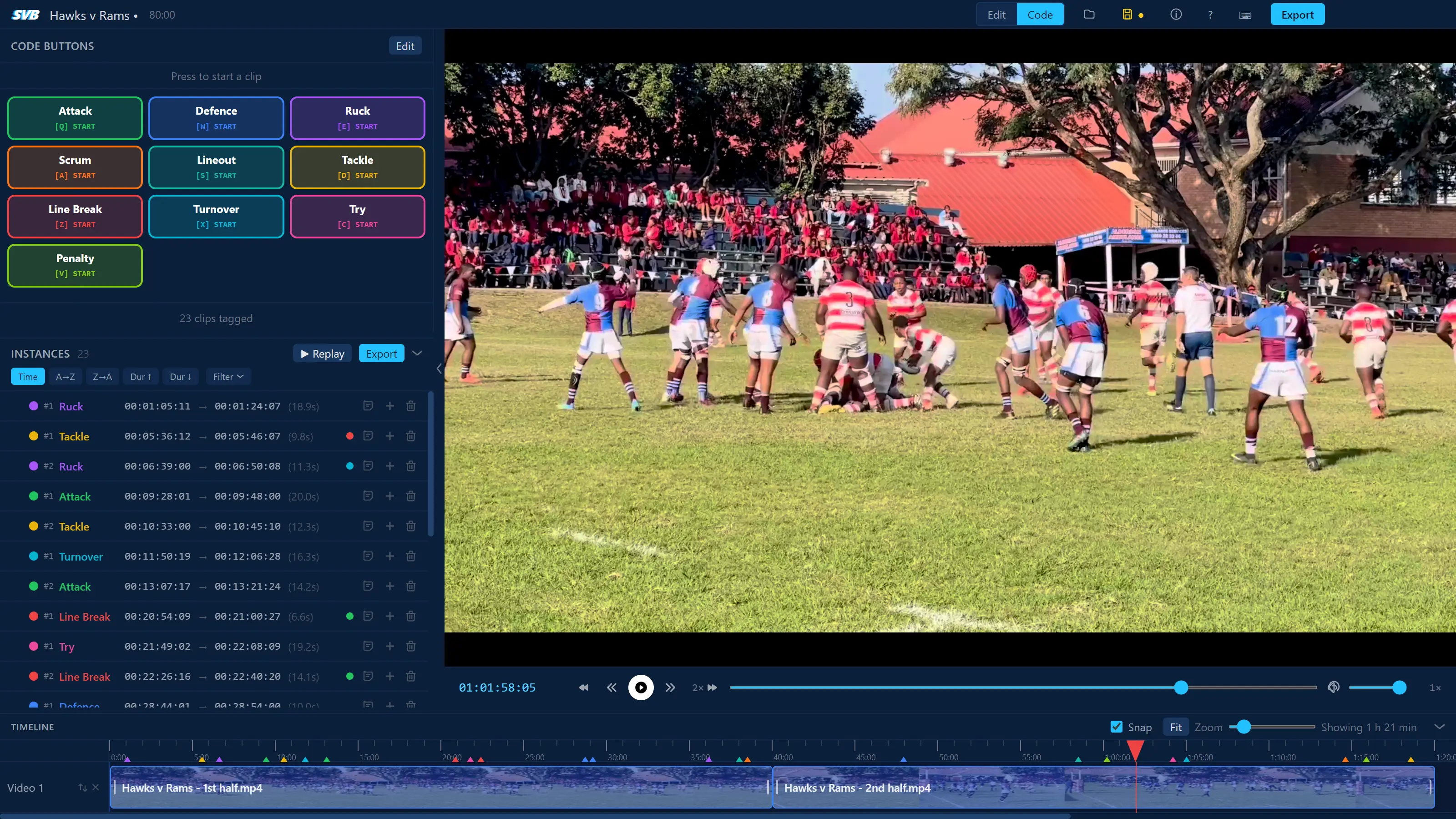
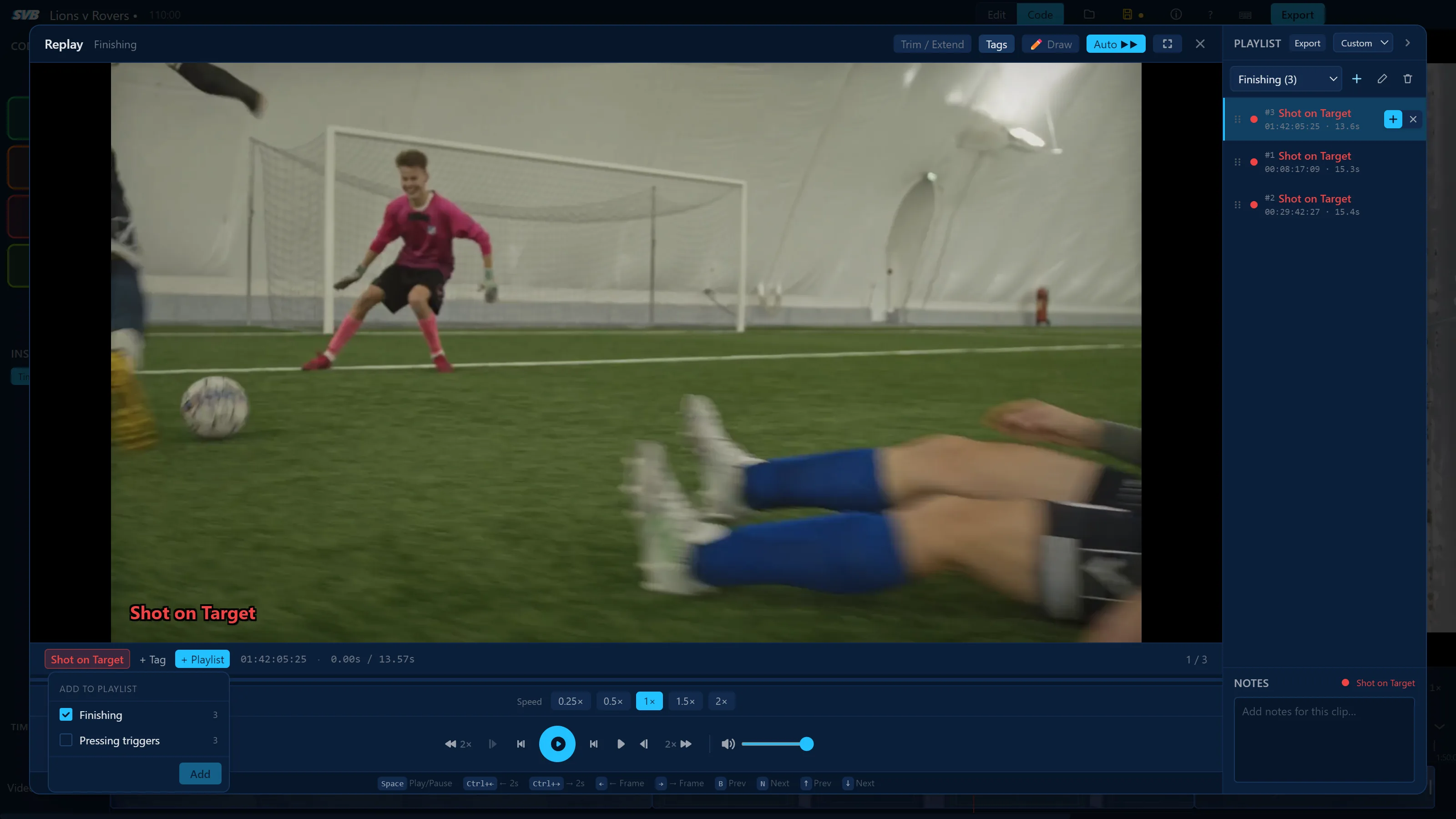
Build your own codeframes with hotkeys and tag as you watch.
Replay & Draw
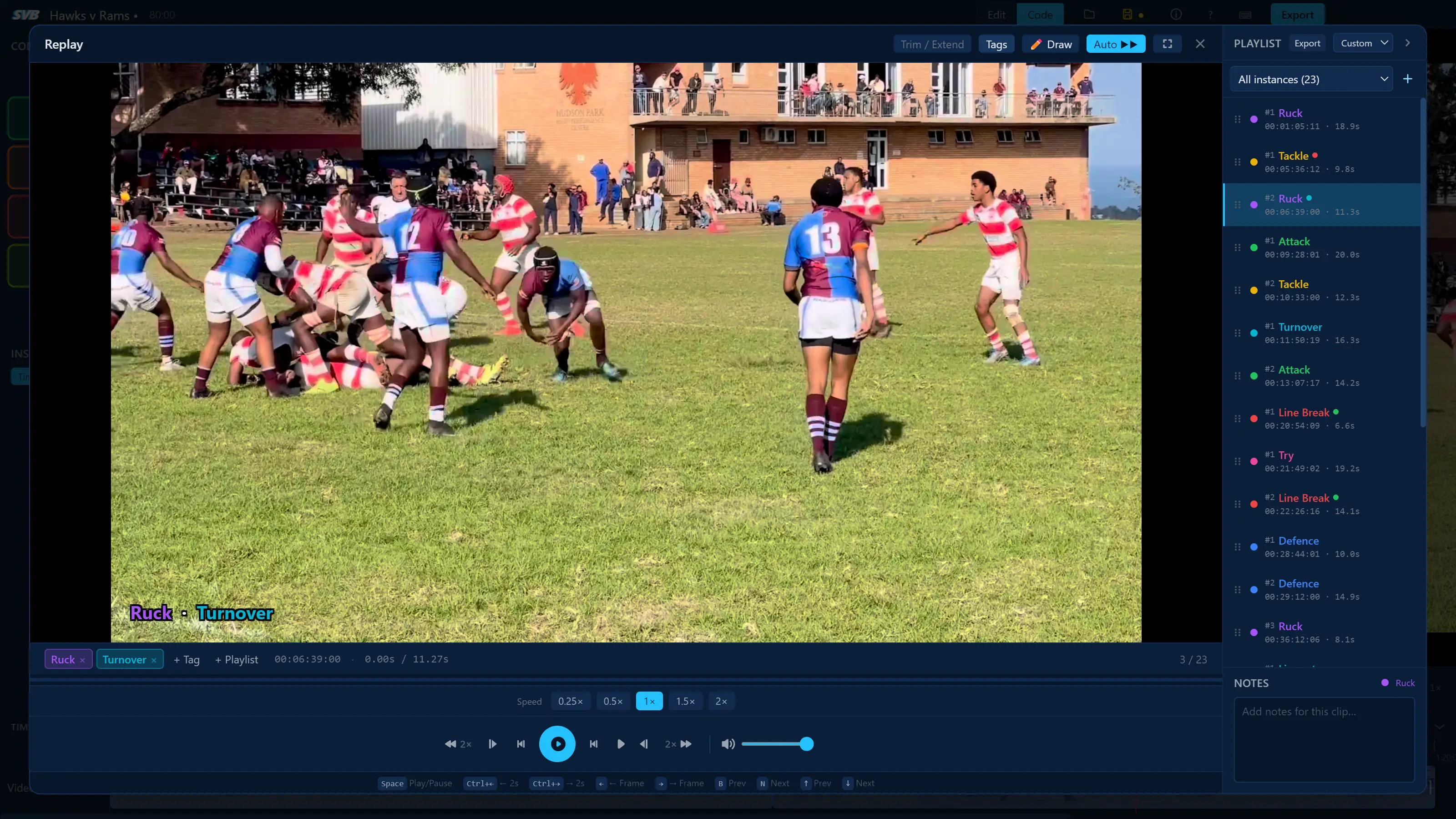
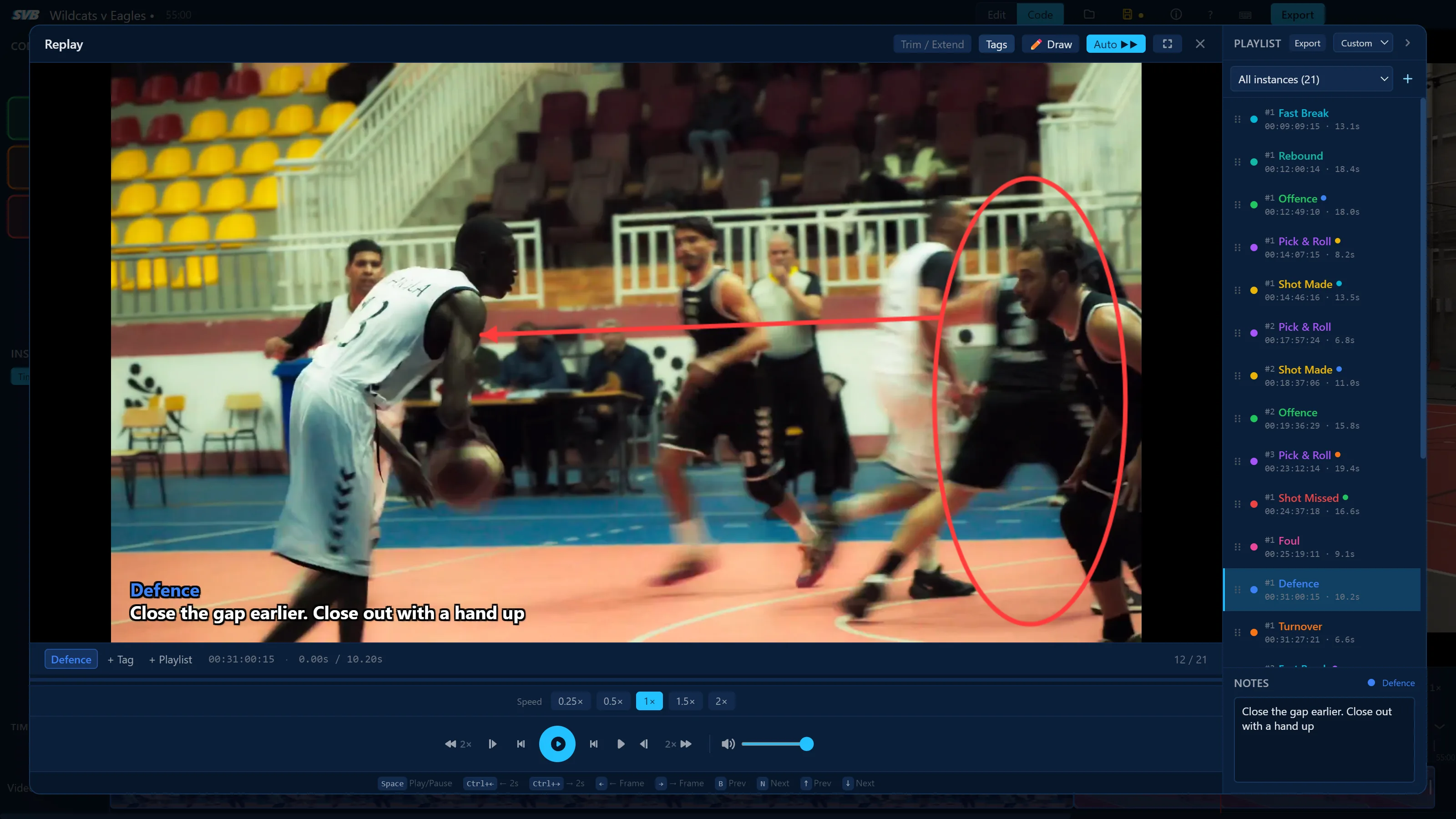
Review tagged clips, draw to highlight points of emphasis and add notes to explain each moment.
Custom Playlists
Group your clips into playlists by play, player or however you want - and export and share when you're ready.
Batch Clip Export
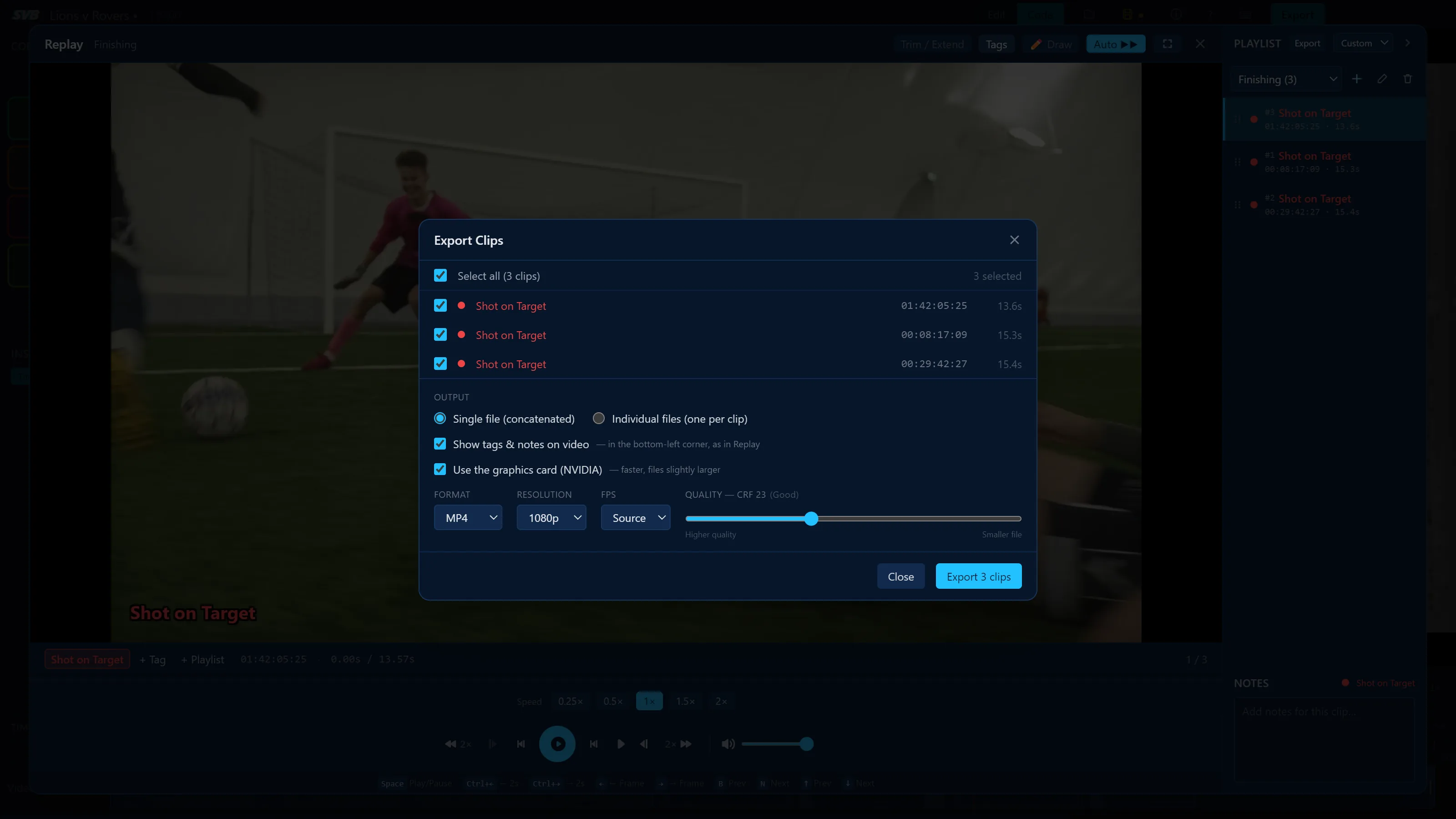
Export every tagged clip individually or as one compiled video, ready to share with players and staff.
Smooth Playback, Straight Away
Rewind and frame-step through full games smoothly the moment they're imported, with no waiting for previews to build.
Built for Speed
Customisable keyboard shortcuts for tagging, skipping and frame-stepping, plus a timeline editor to trim and arrange clips.
How it works
From raw footage to a thorough breakdown in four steps.
1
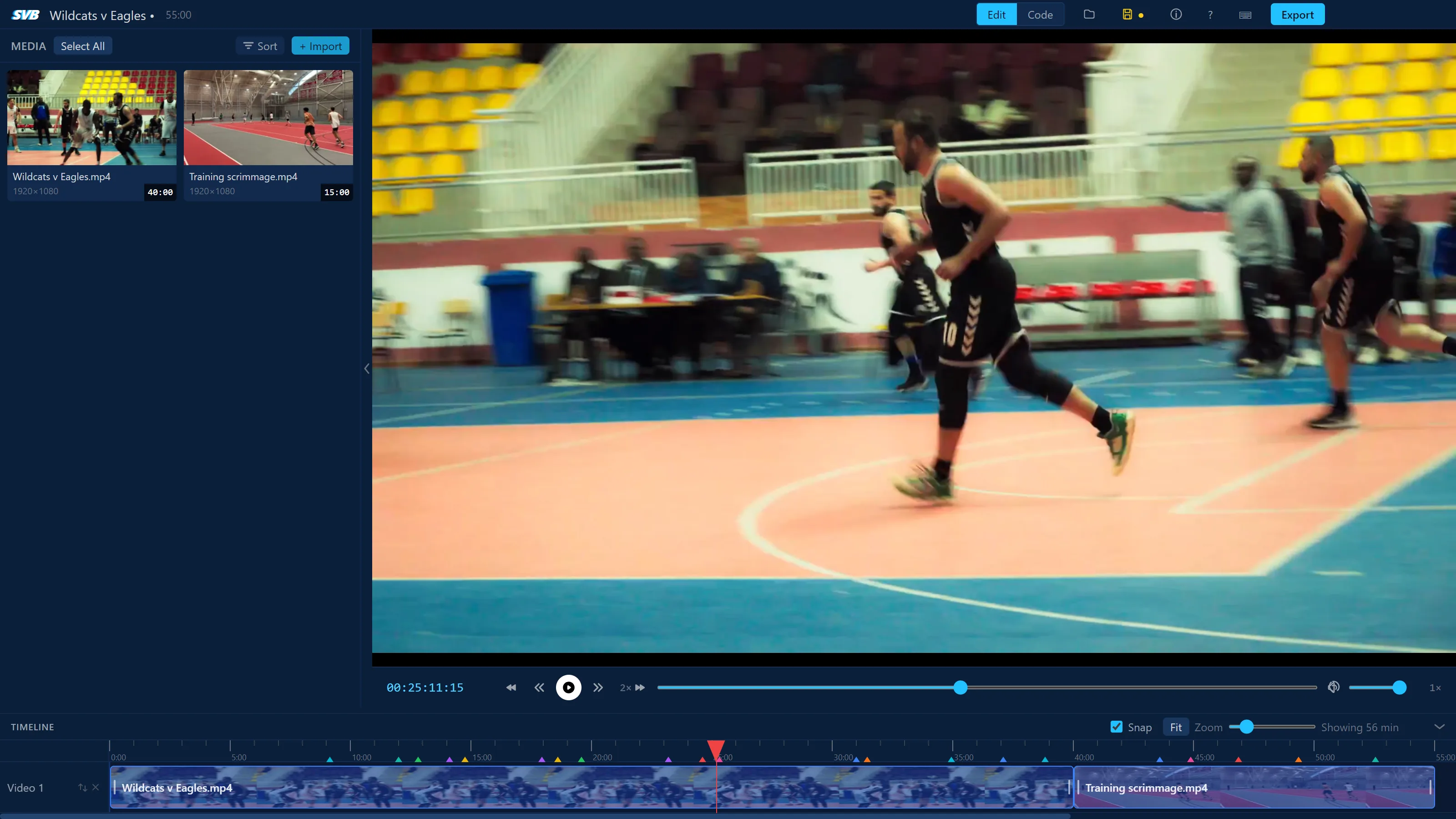
Import your footage and build a timeline
Drag your game film into the editor and add it to the timeline - SVB works with commonly used file types MP4, MOV and M4V.
2
Tag moments as you watch
Switch to Code mode and set up code buttons with your own tags, colours, and hotkeys. Press a code once to start a clip and again to end it - you can record several codes at once. Add extra tags and notes to any instance, then filter and sort the list to find what you need.
3
Review with Replay
Play back tagged instances and create custom playlists. Video review can be done straight in the editor with the ability to draw, highlight and add notes. Each clip's tags and notes appear on screen as it plays.
4
Export and share
Export instances for a highlight or scout package that is ready to share with tags and notes overlaid for a seamless film review experience.
Sports Video Basic is video analysis software for Windows and Mac that lets coaches code, clip, tag and review game footage as you watch. Replay and review with drawings and notes, and export clips to share with your team.
Who is Sports Video Basic for?
Sports Video Basic is built for coaches, video analysts, clubs and schools of all levels - from junior and amateur teams through to semi-professional and elite programs. It's for anyone who wants pro-level video analysis without the pro-level price tag.
Which sports can I use it for?
Sports Video Basic is for all sports, including basketball, football, AFL, rugby league, rugby union, netball, hockey, volleyball and cricket. You create your own tagging buttons, so the codes match your sport and the way you coach.
How much does Sports Video Basic cost?
Sports Video Basic costs A$59.99 per year for an annual license, which includes all features and all updates. Prices on this page are also shown in your local currency. You can try it free for 14 days first, with no credit card required.
Is there a free trial?
Yes. You can try Sports Video Basic free for 14 days with no credit card required. You'll receive a license key by email that gives you full access to all features. When the trial ends, simply purchase an annual license to keep using the app.
How do I cancel my subscription?
You can cancel at any time from the customer portal at sportsvideobasic.lemonsqueezy.com/billing. Sign in with the email address you purchased with, and you'll be emailed a link to log in. You can also email support@sportsvideobasic.com and we'll cancel it for you. Your license keeps working until the end of the year you've paid for, and won't renew. Free trials don't need cancelling - they end automatically after 14 days.
How is Sports Video Basic different from Hudl or Sportscode?
Sports Video Basic is a simpler, more affordable alternative to team video platforms like Hudl and professional coding tools like Hudl Sportscode. It's a single desktop app for Windows and Mac with one low annual price, no team subscription, and no need to upload your footage to the cloud. It focuses on the core workflow most coaches need: code, tag, review and export clips.
Can I annotate the video and create playlists?
Yes. In Replay mode, Sports Video Basic lets you draw arrows, circles, boxes and freehand lines directly on the video, and add notes to each clip. You can also group clips into custom playlists, for example by player, play type or opponent, then play them back or export them as one video.
Does it work without an internet connection?
Yes. Sports Video Basic runs entirely on your computer, and no internet is required for tagging, reviewing or exporting video. The app checks your license whenever it's online, and needs to connect at least once every 7 days; you can work offline freely in between.
What video formats are supported?
Sports Video Basic works with the commonly used MP4, MOV and M4V video files in H.264, the format most cameras, phones, Veo and Hudl downloads use, and in H.265 (such as iPhone recordings) on computers that can decode it. Clips and highlight videos can be exported as MP4 (H.264/H.265), WebM (VP9) or MOV at any resolution up to 4K.
Can I use it on more than one computer?
Each Sports Video Basic license activates on one computer at a time. If you need to move to a new computer, you can deactivate the license on your current machine and reactivate it on the new one.
How do I get the app after purchasing?
Immediately after purchasing you'll receive a confirmation email with your license key and a download link for the Windows or Mac installer. You can also download it directly from the page you're redirected to after checkout.
Are updates included in my license?
Yes. All Sports Video Basic updates are included with your annual license and delivered automatically. The app downloads new versions in the background and lets you know when an update is ready to install.
What operating systems are supported?
Sports Video Basic runs on Windows 10 and Windows 11 (64-bit), and on Mac desktops and laptops with Apple silicon (M1 or later). Intel-based Macs and Linux are not currently supported.
Ready to level up your analysis?
Get Sports Video Basic today and start producing better insights for your team.